
QR Code Feature
Corjl has a built-in QR Code Generator to use to add unique QR Codes that link to a designated link. This feature can be found in the left-menu tabs area.

🛠️Create a QR Code
To create a QR Code, just copy and paste the target URL into the text field and click the Add to Canvas button.
The generated QR Code will appear on the canvas of the design!
🎛️How to Adjust a QR Code
Use the following steps to make adjustments to your created QR Code:
1. Select the QR Code on the canvas
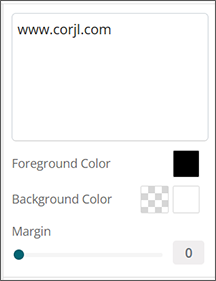
2. Use the options that appear in the right editing panel to make changes to the QR Code including:
- Edit QR Code website address
- Change the color of the QR Code (Foreground Color)
- Select a Background color for the QR Code or make the Background transparent
- Add or adjust the Margin width that appears around the edges of the QR Code